






- 300+ Global Clients
- 4.9/5.0 Verified Clutch Rating
- 400+ Engineers & Specialists
- 95% Client Retention

About eSparkBiz
Why eSparkBiz for Python Development Services?

Scalable Python Engineering for AI-Driven and Enterprise Applications
Technical debt, fragmented architectures, and manual processes can slow innovation and increase development costs. eSparkBiz delivers Python development services to modernize legacy systems, automate workflows, and build secure, scalable applications that accelerate business growth and long-term operational efficiency.
Trusted by 218,432 customers with a 0.60% market share, Python powers modern AI and enterprise applications worldwide. Our Python experts combine AI-assisted engineering, cloud-native architectures, and proven frameworks to deliver high-performance solutions that evolve with your business and future demands.
How eSparkBiz Delivers High-Quality Python Solutions:
- Scalable application development using modern Python Web Frameworks
- Secure Python Integration across APIs and enterprise systems
- Continuous testing aligned with performance and security benchmarks
Success Stories

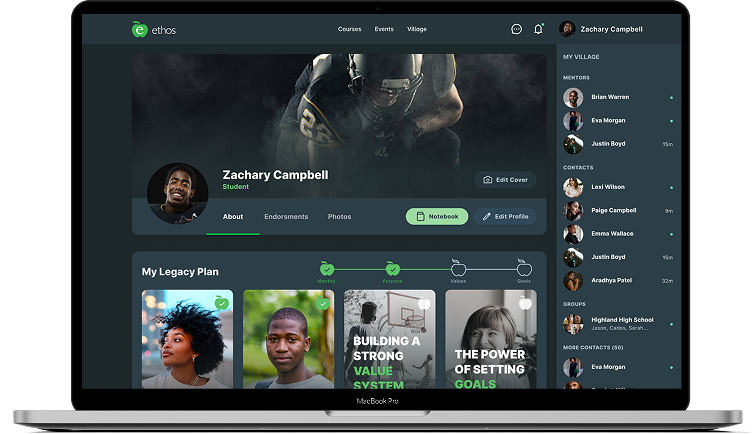
- Engagement Model Dedicated Product Team
- Engagement Length 24+ Months
- Market Stage Live & Scaling
- Team Members 5+ Team Members
- Services Provided End-to-End Product Engineering

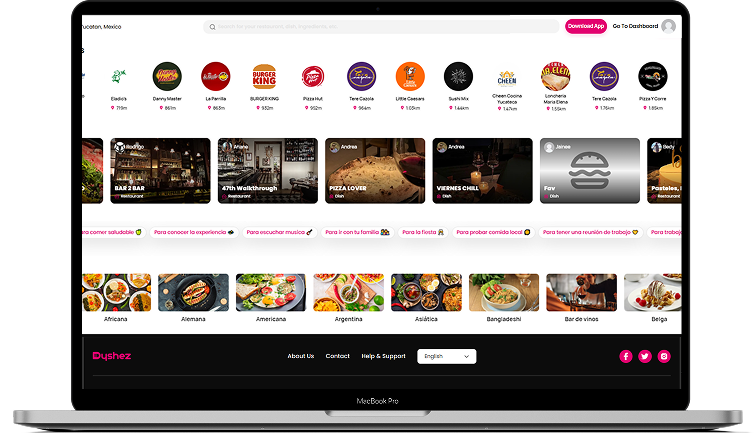
- Engagement Model Dedicated Product Team
- Engagement Length Long-Term Engagement
- Market Stage Live & Scaling
- Team Member 6+ Team Members
- Services Provided End-to-End Product Engineering

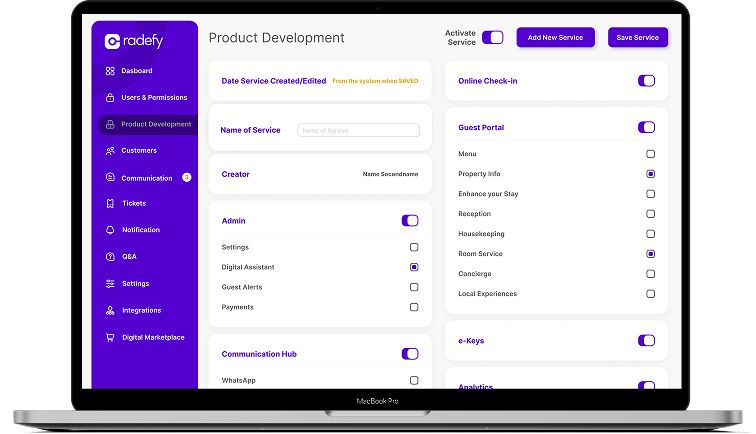
- Engagement Model Enterprise Engineering Partnership
- Engagement Length 24+ Months
- Market Stage Growth & Scaling Phase
- Team Member 4+ Team Members
- Services Provided PMS Integration & Hospitality API Integration Services

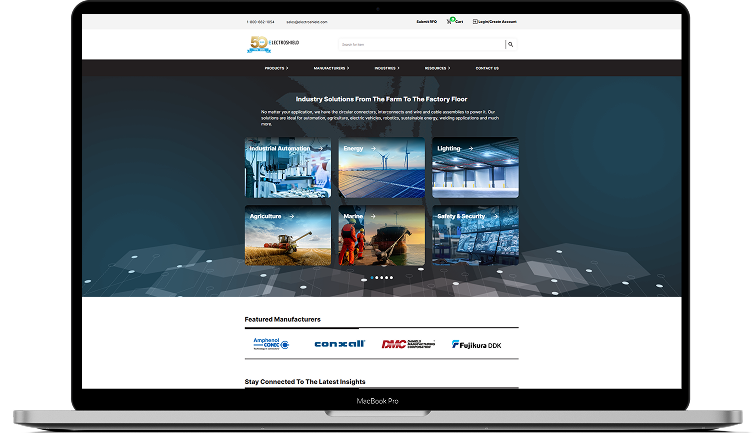
- Engagement Model Product Engineering Partnership
- Engagement Length 12+ Months
- Market Stage Live & Scaling
- Team Member 6+ Team Members
- Services Provided End-to-End Product Engineering

- Engagement Model Product Engineering Partnership
- Engagement Length 12+ Months
- Market Stage Live Product with Active Scaling
- Team Member 4+ Team Members
- Services Provided IoT Healthcare Development
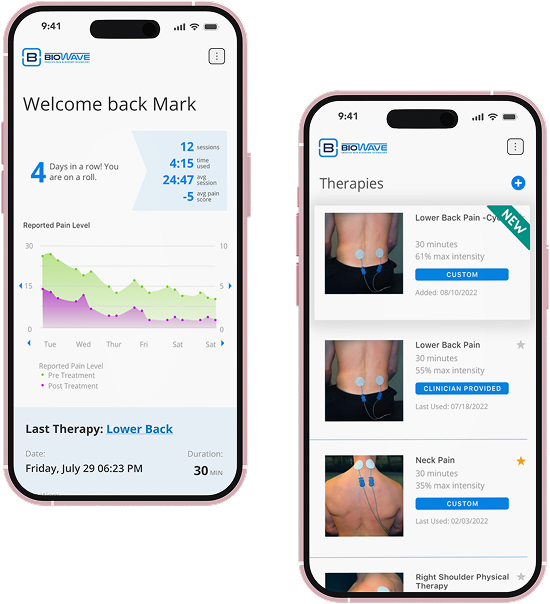
Proven work. Measurable outcomes.
See how we deliver on complex, high-impact Initiatives.End-to-end Python Development Services
What Organizations gain from eSparkBiz Python Development Services?
- Custom Python App Development
- Python Web Development
- Python Backend Development
- API Development and Integration
- Automation and Scripting
- Data Engineering and Analytics
- Cloud-Based App Development
- App Migration and Modernization
- Quality Assurance and Testing
- Support and Maintenance

Custom Python Application Development
At eSparkBiz, we build tailored Python applications with clear ownership, aligning business workflows and product goals through structured custom software development practices.
What We Deliver:
- Business-specific application logic
- Modular architecture planning
- Backend workflow engineering
- Deployment readiness

Python Web Development
We develop Python-based web solutions with a focus on usability and maintainability, supporting modern web application development across customer-facing and internal platforms.
Service Highlights:
- Server-side web logic
- Framework-based development
- Request handling workflows
- Python Performance optimization

Python Backend Development
Our backend development services use Python to manage application logic and data processing, delivering reliable system behavior across complex digital platforms.
Core Capabilities:
- Business logic implementation
- Database interaction layers
- Service orchestration
- Performance tuning

Python API Development and Integration
We design Python APIs with clear data contracts, enabling smooth communication between applications and reliable integration with Python-based backends and frontend interfaces built using Angular.
Key Focus Areas:
- REST API development
- Third-party integrations
- Data exchange workflows
- Authentication handling

Python Automation and Scripting
With Python Automation, we help reduce manual effort by streamlining repetitive tasks, operational processes and routine system workflows.
Automation Use Cases:
- Task automation scripts
- Workflow optimization
- Data processing jobs
- System maintenance tools

Python Data Engineering and Analytics Solutions
Our data analytics services support structured data processing with Python, helping organizations analyze operational datasets and prepare reliable inputs for analytics.
Data Capabilities:
- Data pipeline development
- Data processing logic
- Analytics preparation
- Reporting support

Python Cloud-Based Application Development
We develop Python applications for cloud environments, working with flexible deployment models and resource configurations to support distributed application architectures.
Cloud Readiness:
- Cloud-native architecture design
- Deployment configuration support
- Environment optimization
- Resource utilization planning

Python Application Migration and Modernization
With a structured Python development approach, we modernize applications by improving architecture, updating dependencies and transitioning legacy systems to current technology standards.
Modernization Focus:
- Legacy code assessment
- Architecture refactoring
- Platform upgrades
- Compatibility improvements

Python Quality Assurance and Testing
Our testing services validate Python applications through structured Software testing and QA processes, ensuring functional accuracy and reliable system behavior.
Testing Coverage:
- Functional validation
- Regression testing
- Performance verification
- Defect resolution

Python Support and Maintenance Services
We provide ongoing Python support with regular monitoring, issue resolution and updates to help maintain application stability and operational continuity.
Support Scope:
- Issue monitoring
- Performance reviews
- Version updates
- Technical assistance
Achieve your Ideal Python Solutions with Our Expert Precision
Why Partner
Why Partner with eSparkBiz?
As a Python development company, we help businesses deliver dependable software solutions and also support teams that want to hire Python developers backed by proven engineering practices and domain understanding.
-
Adherence to ISO 9001 and CMMI Level 3 quality standards
-
A delivery team of skilled professionals across software engineering disciplines
-
Engineering expertise spanning backend, AI/ML, frontend and cloud systems
-
Experience delivering Python solutions for clients across 20+ countries
-
Recognized for Proven Python Development Practices
- Listed by TopDevelopers for Python development excellence
- Ranked by Gartner as Trusted Custom Software Development Providers
- Named among Clutch’s 1000 Top Rated Business Service Providers
- Featured by Business Talk among India's Python Development Companies
- Client reviews and ratings published on Clutch, GoodFirms, G2 and HubSpot
 15+ Years of Expertise
  100% NDA-protected Contract
  95% Client Retention Rate
  Access to 45+ Technologies


Next-Gen Python Use Cases

AI Applications
Teams leverage Python to design AI applications, where we combine domain insight with AI consulting practices, enabling intelligent features, decision support and responsible automation that aligns technical outcomes with real business objectives.

Machine Learning
Organizations adopt Python for machine learning solutions, as our engineers focus on machine learning development with practical models, data pipelines and evaluation methods that support accuracy, security, scalability and continuous improvement.

Data Analytics
Businesses use Python for data analytics initiatives, starting with structured data processing, where we apply statistical techniques, visualization tactics and reporting workflows to turn raw information into actionable, operational insightful decisions.

Web Platforms
Product teams rely on Python for building web platforms, beginning with backend logic, as we support web development efforts through scalable architectures, secure integrations and performance-focused implementations for modern digital experiences.

Automation Systems
Operations teams implement Python-driven automation systems, often with our guidance, where AI Agent Development enables task orchestration, decision workflows and adaptive processes that reduce manual effort and improve operational consistency.

API Development
Engineering groups choose Python for API development projects, starting from service design, as we focus on clear contracts, reliable API integrations and maintainable endpoints that supports long-term application interoperability and assured scalability.

Cloud Applications
Technology leaders adopt Python for cloud applications, approaching cloud application development with flexible deployment models, as our teams design services that scale efficiently across distributed environments and evolving infrastructure demands.

Healthcare Systems
Healthcare organizations apply Python within healthcare systems, beginning with compliance-aware design, where we support healthcare software development by enabling secure data handling, system interoperability and analytics-driven workflows for clinical and operational use.
Turn Your Vision into Futuristic Reality with Our Advanced Python Expertise
Tech Stack
Technologies Powering Our Python Development Solutions
-
Frontend
9
-
Backend
6
-
Desktop
5
-
Database
19
Desktop
- C++
- C#
- Qt
- Objective-C
Database
- Async Storage
- Azure SQL Database
- Cassandra
- Core data
- Firebase
- Firestore
- Apache Hive
- MongoDB
- MySQL
- ObjectBox
- Oracle
- PostgreSQL
- Realm
- Redis
- Room Persistence Library
- Sembast
- SQLite
- WatermelonDB
Step-by-step Process
Engineering Delivery Framework
Align technology with your business goals.
Every engagement starts with understanding your business objectives, users, technical challenges, and product vision. Together, we define a roadmap that minimizes uncertainty and creates a clear path to successful delivery.
- Business Requirement Document
- Technical Feasibility Report
- Stakeholder Alignment Map
- Project Roadmap with Milestones
- Competitive Landscape Summary
Create intuitive experiences and scalable architecture.
Our designers and solution architects collaborate to create user-centric experiences and a technical foundation that supports long-term growth, security, and maintainability.
- Functional Requirement Document
- Clickable Figma Prototype
- Solution Architecture Diagram
- Database Schema
- API Specification Sheet
Deliver software through agile engineering.
Dedicated cross-functional teams develop your product in short, iterative sprints, enabling continuous feedback, rapid releases, and complete project transparency throughout the development lifecycle.
- Working Sprint Builds
- API Integration Map
- Version Controlled Code Repository
- Sprint Burndown Reports
- Technical Documentation Wiki
Build quality into every release.
Quality engineering is integrated throughout development, not left until the end. Automated testing, peer reviews, and security validation ensure reliable, production-ready software at every milestone.
- Test Case Documentation
- Automated Test Coverage Report
- Security Vulnerability Assessment
- Performance & Load Test Results
- UAT Sign-off Checklist
Release with confidence.
We automate deployment pipelines and implement modern DevOps practices to deliver secure, reliable, and seamless releases while minimizing operational risk and downtime.
- CI/CD Pipeline Configuration
- Production Deployment Runbook
- Infrastructure-as-Code Scripts
- Rollback & Disaster Recovery Plan
- Go-Live Readiness Checklist
Continuously improve and evolve your product.
Launching software is only the beginning. We continue to optimize performance, introduce new capabilities, strengthen security, and scale your engineering capacity as your business grows.
- Performance Benchmark Report
- Cloud Cost Optimization Summary
- Quarterly Enhancements Roadmap
- Security & Compliance Audit Log
- Engineering Capacity Scaling Plan
Ready to Streamline Your Python Development Approach?
Engagement Models for Enterprise Software Delivery
IT Staff Augmentation
Dedicated Teams
Managed Capacity
Offshore Development Center

Fill specific skill gaps fast with vetted, senior engineers who plug directly into your existing team and processes. You keep full control of project management and architecture decisions while we handle sourcing, vetting, and onboarding speed.
- Quickly scale your team up or down based on project needs
- Works inside your existing tools, tickets, and sprints
- Fast onboarding with minimal management overhead
- Minimal management overhead, maximum flexibility

Get a committed, cross-functional team that works exclusively on your product, functioning as a seamless extension of your organization. We assemble the right mix of engineers, QA, and leads, aligned to your roadmap for the long haul
- Full ownership of onboarding, knowledge transfer, and documentation
- Consistent project execution with strong budget and risk management
- End-to-end coverage: business analysis, UX/design, QA, DevOps, and project management
- Best for long-term product development

Hand off end-to-end delivery ownership while we manage the team, process, and output against agreed outcomes. Ideal when you want predictable delivery without the day-to-day overhead of managing engineers yourself.
- Scalable engineering capacity delivered under clearly defined SLAs
- Right mix of expertise, stability, and flexibility
- We manage the team, processes, and delivery, so you stay focused on outcomes
- Goes beyond filling skill gaps to owning results

Establish a fully dedicated offshore unit that operates as your own remote engineering office, complete with infrastructure, HR, and compliance handled on your behalf. Built for long-term scale with maximum cost efficiency and control.
- A 100% personalized solution for large, complex projects
- Built for corporate clients with specialized requirements
- Meets high standards for security, availability, and compliance
- Dedicated, fully managed offshore team aligned to your business
Accelerate your Python Development Roadmap with the Right Engagement Model
Client Testimonials
Our Clients Say About Us
We focus on making clients happy and always appreciate their opinions. We aim to provide superior services to earn trust and to become a go-to choice in the industry.





Useful Resources
Useful Resources for Python Development
We deliver curated expert knowledge-driven content, offering strategic depth, industry relevance, and actionable insights for confident technology decisions.

.NET Development
Achieve Enterprise Solutions with Advanced .NET Expertise

Java Development
Enable Business Growth with Advanced Java Development Expertise

NodeJS Development
Enable Real-Time Experiences with Modern NodeJS Solutions

Laravel Development
Engineer Secure Web Platforms with Laravel Development Excellence

Golang Development
Build High-Performance Systems powered by Golang Expertise

NestJS Development
Engineer Scalable Backend Platforms through NestJS Expertise
Expert Insights
Expert Insights for Python Development
We actively analyze emerging technologies and applications, publishing insightful articles. Access our latest expert blogs and updates for valuable industry knowledge.

 August 20, 2026
FAQs
Frequently Asked Questions
We address certain queries related to Python development, displaying our technical prowess and proven ability, and how eSparkBiz implements high-performance, scalable Python solutions in different industry spheres.
What does a Python development company do?
A Python development company designs, builds and maintains software applications using Python for web platforms, data processing, automation and AI-driven systems.
How much does Python development cost?
Python development costs typically range between $12–$25 per hour, depending on project scope, expertise and region, with eSparkBiz offering services within this range.
Why is Python widely used for AI and machine learning projects?
Python is widely used for AI and machine learning due to its extensive libraries, readable syntax and strong ecosystem supporting data modeling and experimentation.
How many live websites in the United States use Python?
According to BuiltWith, 40,006 live websites in the United States currently use Python-based technologies.
How long does it take to build a Python application?
Most Python applications take 8–16 weeks to develop, depending on complexity and scope, while eSparkBiz typically completes project onboarding within 4–5 business days.
What industries commonly use Python development services?
Python development services are widely used across healthcare, finance, eCommerce, SaaS, education, logistics and data-driven enterprise applications.
How do companies choose the right Python development partner?
Which are the top Python development companies?
Top Python development companies include eSparkBiz, ClearSummit, Andersen and Ravn, evaluated based on expertise, delivery quality and client feedback.


