






- 300+ Global Clients
- 4.9/5.0 Verified Clutch Rating
- 400+ Engineers & Specialists
- 95% Client Retention

About eSparkBiz
Why eSparkBiz for Laravel Development Services?

Laravel Development Powered by Clean, Maintainable Architecture
Your Laravel application shouldn't become slower every time new features are added. Poor database performance, messy code, and difficult Laravel upgrades often make every new feature slower and more expensive to deliver. We build Laravel applications that stay fast, clean, and easy to expand.
More than 683,629 websites run on Laravel today, but long-term success depends on engineering quality. Our Laravel experts create maintainable applications that simplify future upgrades, support AI integrations, reduce development effort, and help your business scale without costly rebuilds.
What businesses gain from our Laravel expertise
- Improve database efficiency with smarter query design
- Reduce API bottlenecks before customers notice
- Build reusable Laravel modules across products
Success Stories

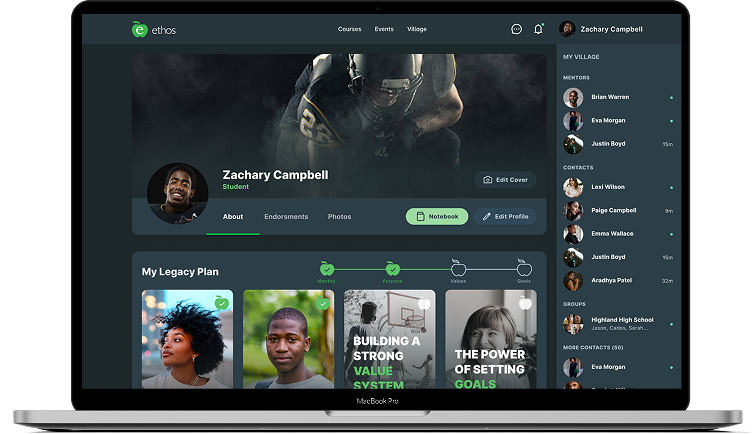
- Engagement Model Dedicated Product Team
- Engagement Length 24+ Months
- Market Stage Live & Scaling
- Team Members 5+ Team Members
- Services Provided End-to-End Product Engineering

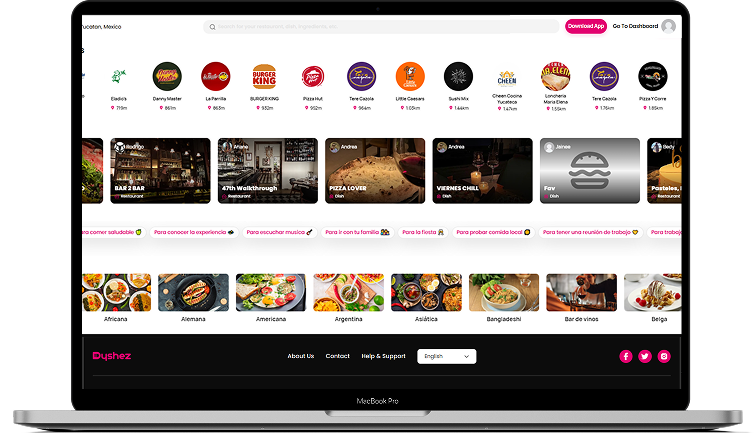
- Engagement Model Dedicated Product Team
- Engagement Length Long-Term Engagement
- Market Stage Live & Scaling
- Team Member 6+ Team Members
- Services Provided End-to-End Product Engineering

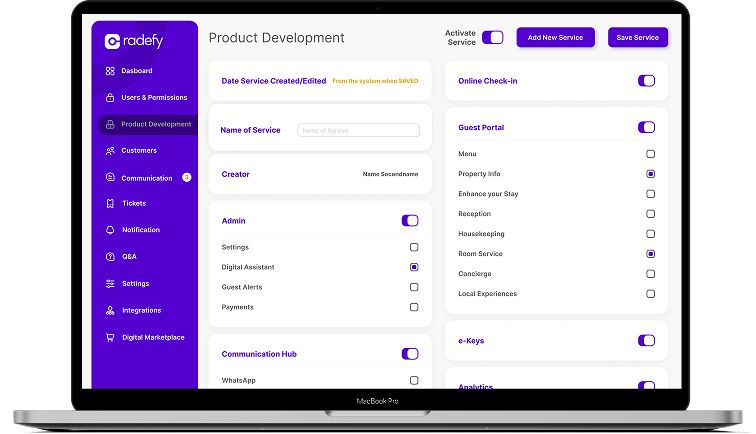
- Engagement Model Enterprise Engineering Partnership
- Engagement Length 24+ Months
- Market Stage Growth & Scaling Phase
- Team Member 4+ Team Members
- Services Provided PMS Integration & Hospitality API Integration Services

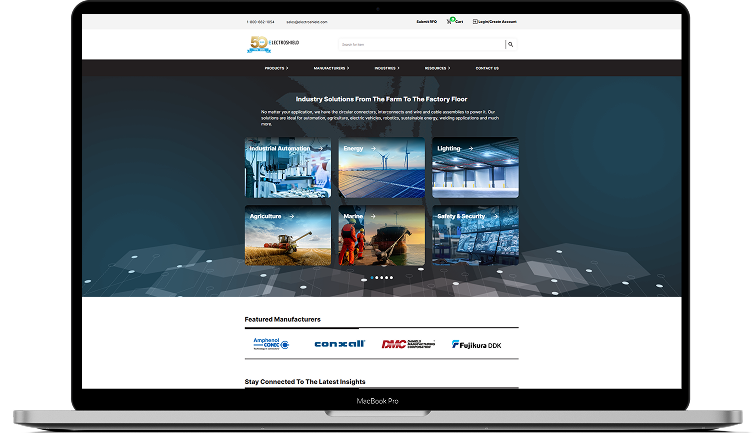
- Engagement Model Product Engineering Partnership
- Engagement Length 12+ Months
- Market Stage Live & Scaling
- Team Member 6+ Team Members
- Services Provided End-to-End Product Engineering

- Engagement Model Product Engineering Partnership
- Engagement Length 12+ Months
- Market Stage Live Product with Active Scaling
- Team Member 4+ Team Members
- Services Provided IoT Healthcare Development
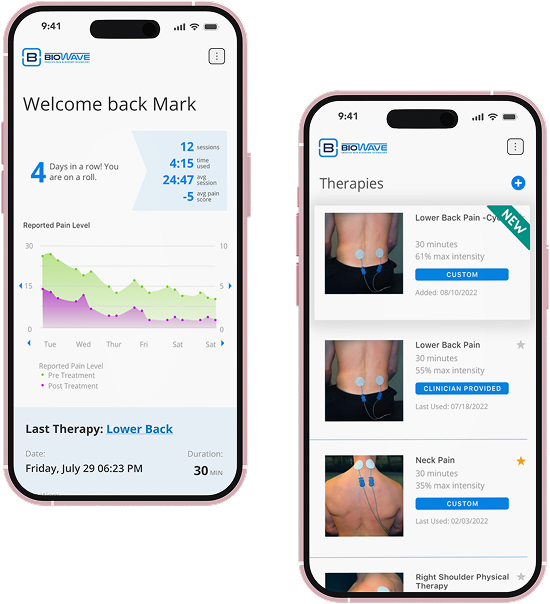
Proven work. Measurable outcomes.
See how we deliver on complex, high-impact Initiatives.End-to-end Laravel Development Services
What can you achieve with eSparkBiz Laravel Development Services?
- Custom Laravel Development
- Laravel eCommerce Development
- Enterprise Applications
- Laravel Consulting
- REST API Development
- SaaS Applications
- Laravel Migration
- Support and Maintenance

Custom Laravel Development
Custom Laravel applications are developed to align with specific business workflows, data structures and operational needs. The focus remains on clean architecture, predictable performance and codebases that support application stability.
Key Focus:
- Business logic alignment
- Clean application architecture
- Modular system components
- Code maintainability

Laravel eCommerce Development
Laravel based eCommerce platforms are designed to support complex catalogs, secure payment processing and structured order workflows. Emphasis is placed on operational reliability, data consistency and controlled transaction handling.
Core Areas:
- Product catalog management
- Secure payment integration
- Order processing workflows
- Inventory control systems

Enterprise Applications
Enterprise applications built with Laravel support internal operations, data processing and system coordination. These systems are structured around access controls, organizational workflows and performance expectations across distributed teams.
Primary Scope:
- Internal business systems
- Role based access control
- Process automation workflows
- Data consistency management

Laravel Consulting
With our Laravel consulting services, you can optimize your application to make it high-performing and align it with your business objectives.
Execution clarity:
- Codebase Audit
- Risk Assessment
- Architecture Review
- Performance Tuning
- Tech Stack Advisory

REST API Development
We design REST APIs using Laravel to support system integrations, mobile applications and third party services. APIs are structured for clarity, reliable data exchange and consistent behavior across connected platforms.
API Focus:
- Secure API endpoints
- Clear interface contracts
- Data validation rules
- Integration readiness support

SaaS Applications
SaaS applications developed with Laravel focus on user management, subscription logic and application reliability. Product structures support controlled access, recurring updates and predictable operational behavior.
Product Focus:
- User account management
- Subscription billing logic
- Access control mechanisms
- Application reliability assurance

Laravel Migration and Version Transitions
We support Laravel migrations and version transitions while preserving existing functionality. The process emphasizes compatibility checks, dependency updates and controlled testing to reduce operational risk during upgrades.
Migration Areas:
- Laravel version upgrades
- Dependency update management
- Compatibility assessment checks
- Regression testing coverage

Support and Maintenance
Ongoing support and maintenance services address performance issues, security updates and functional adjustments. Applications remain reliable and aligned with evolving business requirements through structured monitoring and resolution processes.
Support Scope:
- Issue resolution support
- Security update management
- Performance monitoring processes
- Functional update handling
Leverage our Seamless Laravel Development Approach for Dynamic Solutions
Why Choose eSparkBiz?
Why Partner with eSparkBiz?
Our Advanced technical expertise, certifications, global delivery and measurable outcomes back our robust Laravel Development Services.
-
ISO 27001 and CMMI Level 3 Certified for Sheer Laravel Delivery
-
Agile, scalable Laravel methodologies built for enterprise flexibility
-
Bug-free Laravel Development Projects across 20+ countries
-
Recognized by Top Industry Authorities
- Ranked among India’s Leading Enterprise Software Developers by Clutch
- Named among Clutch's Top 1000 Global B2B Service Providers
- Listed by IEEE as a Leading Software Outsourcing Firm
- Featured as Top AI Staff Augmentation Provider by DesignRush -
GDPR and HIPAA-compliant Laravel security and data handling
-
Cloud, API, and CI/CD supported Laravel infrastructure builds
 15+ Years of Expertise
  100% NDA-protected Contract
  95% Client Retention Rate
  Access to 45+ Technologies



Industries We Serve
Proven Expertise across Diverse Industries
We deliver tailored technology solutions across various business domains, addressing unique operational challenges while driving measurable business growth consistently.
Healthcare
Finance
EdTech
Real Estate
Logistics
Food & Beverages
AgriTech
Sports
Laravel Solution Types

Laravel CRM Development
Our secure and scalable CRM systems enhance operational efficiency and customer relationship optimization through Laravel’s solid structure.
Our proven advantage:
- Custom Workflow Management
- Secure Client Records
- Role-Based Access
- Real-Time Dashboards
- Seamless System Integration

Laravel Microservices
Our Laravel Experts implement modular microservices which help achieve better scalability while enhancing system independence in distributed enterprise systems.
eSparkBiz powers flexibility:
- Independent Codebases
- Resilient Service Layers
- Real-Time Performance
- Scalable Architecture Pattern
- Containerized Service Deployment

Module Development
Our Consultants create modular Laravel components which enable developers to work faster and build reusable code libraries with flexible enhancement capabilities.
We simplify workflows:
- Feature-Based Logic
- Code Reusability Focus
- Isolated System Testing
- Structured Code Blocks
- Dynamic Feature Deployment

Package Development
eSparkBiz specialists develop Laravel packages that provide reusable features to reduce coding time and enable quick scalability across different projects.
Our component strategy:
- Centralized Code Units
- Time-Saving Utilities
- Composer-Friendly Architecture
- Reusable Laravel Features
- Plugin-Like Modules

Portal Development
Through our work we create high-performance Laravel portals to enhance engagement while managing users and ensuring smooth navigation on different devices.
Our portal precision:
- Scalable User Panels
- Centralized Access Points
- Secure Login Systems
- Mobile-Ready Dashboards
- Workflow-Based Modules

CMS Development
Our team builds powerful CMS platforms with Laravel to manage content control along with dynamic publishing functions and secure editorial processes.
We streamline content:
- Intuitive Admin Interfaces
- SEO-Friendly Layouts
- Real-Time Content Edits
- Multi-User Permissions
- API-Driven CMS

Laravel Shopping Cart
Our Consultants build Laravel shopping carts which feature secure transaction capabilities, along with advanced cart logic and streamlined user experience.
We optimize transactions:
- Cart Abandonment Recovery
- Secure Payment Gateways
- Product Listing Management
- Multi-Variant Logic
- Real-Time Syncing

Plugin Development
Our Laravel plugins expand core functionality while minimizing the dependencies and seamlessly speeding up module implementation.
Our plugin efficiency:
- Independent Code Packages
- Rapid Function Integration
- App-Specific Enhancements
- Configurable Plugin Settings
- Lightweight Codebase

Laravel Extension Development
Our Laravel extensions customize application behavior and enhance features while maintaining the core application structure.
Our enhancement edge:
- Extendable Module Sets
- Plug-and-Play Support
- Application-Level Integration
- Maintainable Code Enhancements
- API-Ready Features

Laravel Social Networking Solution
Our team creates secure and efficient social platforms using Laravel technology which includes protected profiles and easy content sharing between connected users.
We enable interaction:
- Community Building Tools
- Role-Based Messaging
- Feed & Media Support
- Real-Time Notifications
- User Activity Tracking

Laravel Headless Development
Our Consultants build scalable and fast digital experiences using Laravel and frontend frameworks to achieve decoupled architecture.
We modernize delivery:
- API-First Architecture
- Flexible Frontend Choice
- Backend Content Management
- Fast Page Rendering
- Secure Data Sync

Laravel Marketplace Development
Our Experts build Laravel-based multi-vendor marketplaces that include transaction logic and vendor tools along with mobile responsive design.
We ensure marketplace control:
- Vendor Admin Panels
- Product Lifecycle Tools
- Multi-Store Capabilities
- Secure Checkout Process
- Review & Rating System
Transform your Tailored needs with Our Reliable Laravel Development Team
Laravel Development Process
Engineering Delivery Framework
Align technology with your business goals.
Every engagement starts with understanding your business objectives, users, technical challenges, and product vision. Together, we define a roadmap that minimizes uncertainty and creates a clear path to successful delivery.
- Business Requirement Document
- Technical Feasibility Report
- Stakeholder Alignment Map
- Project Roadmap with Milestones
- Competitive Landscape Summary
Create intuitive experiences and scalable architecture.
Our designers and solution architects collaborate to create user-centric experiences and a technical foundation that supports long-term growth, security, and maintainability.
- Functional Requirement Document
- Clickable Figma Prototype
- Solution Architecture Diagram
- Database Schema
- API Specification Sheet
Deliver software through agile engineering.
Dedicated cross-functional teams develop your product in short, iterative sprints, enabling continuous feedback, rapid releases, and complete project transparency throughout the development lifecycle.
- Working Sprint Builds
- API Integration Map
- Version Controlled Code Repository
- Sprint Burndown Reports
- Technical Documentation Wiki
Build quality into every release.
Quality engineering is integrated throughout development, not left until the end. Automated testing, peer reviews, and security validation ensure reliable, production-ready software at every milestone.
- Test Case Documentation
- Automated Test Coverage Report
- Security Vulnerability Assessment
- Performance & Load Test Results
- UAT Sign-off Checklist
Release with confidence.
We automate deployment pipelines and implement modern DevOps practices to deliver secure, reliable, and seamless releases while minimizing operational risk and downtime.
- CI/CD Pipeline Configuration
- Production Deployment Runbook
- Infrastructure-as-Code Scripts
- Rollback & Disaster Recovery Plan
- Go-Live Readiness Checklist
Continuously improve and evolve your product.
Launching software is only the beginning. We continue to optimize performance, introduce new capabilities, strengthen security, and scale your engineering capacity as your business grows.
- Performance Benchmark Report
- Cloud Cost Optimization Summary
- Quarterly Enhancements Roadmap
- Security & Compliance Audit Log
- Engineering Capacity Scaling Plan
Accelerate your Code Quality with Our Proficient Laravel Developers
Technology Stack
Trusted Tech Stack Behind our Laravel Expertise
-
Frontend
9
-
Backend
6
-
Desktop
5
-
Database
19
Desktop
- C++
- C#
- Qt
- Objective-C
Database
- Async Storage
- Azure SQL Database
- Cassandra
- Core data
- Firebase
- Firestore
- Apache Hive
- MongoDB
- MySQL
- ObjectBox
- Oracle
- PostgreSQL
- Realm
- Redis
- Room Persistence Library
- Sembast
- SQLite
- WatermelonDB
Best Practices
Best Practices for Laravel Code Quality, Security and Compliance
We maintain high Laravel development standards through disciplined engineering and regulatory alignment, ensuring applications are built with secure, maintainable code meeting global industry requirements.
- Clean Architecture
- Automated Testing
- Agile Methodologies
- Security Middleware
- Data Privacy (GDPR)
- Healthcare Compliance (HIPAA)
- Payment Security (PCI DSS)
Clean Architecture
Automated Testing
Agile Methodologies
Security Middleware
Data Privacy (GDPR)
Healthcare Compliance (HIPAA)
Payment Security (PCI DSS)
Ensure Laravel Development Excellence with Our Best Practices
Engagement Models for Enterprise Software Delivery
IT Staff Augmentation
Dedicated Teams
Managed Capacity
Offshore Development Center

Fill specific skill gaps fast with vetted, senior engineers who plug directly into your existing team and processes. You keep full control of project management and architecture decisions while we handle sourcing, vetting, and onboarding speed.
- Quickly scale your team up or down based on project needs
- Works inside your existing tools, tickets, and sprints
- Fast onboarding with minimal management overhead
- Minimal management overhead, maximum flexibility

Get a committed, cross-functional team that works exclusively on your product, functioning as a seamless extension of your organization. We assemble the right mix of engineers, QA, and leads, aligned to your roadmap for the long haul
- Full ownership of onboarding, knowledge transfer, and documentation
- Consistent project execution with strong budget and risk management
- End-to-end coverage: business analysis, UX/design, QA, DevOps, and project management
- Best for long-term product development

Hand off end-to-end delivery ownership while we manage the team, process, and output against agreed outcomes. Ideal when you want predictable delivery without the day-to-day overhead of managing engineers yourself.
- Scalable engineering capacity delivered under clearly defined SLAs
- Right mix of expertise, stability, and flexibility
- We manage the team, processes, and delivery, so you stay focused on outcomes
- Goes beyond filling skill gaps to owning results

Establish a fully dedicated offshore unit that operates as your own remote engineering office, complete with infrastructure, HR, and compliance handled on your behalf. Built for long-term scale with maximum cost efficiency and control.
- A 100% personalized solution for large, complex projects
- Built for corporate clients with specialized requirements
- Meets high standards for security, availability, and compliance
- Dedicated, fully managed offshore team aligned to your business
Client Testimonials
Our Clients Say About Us
We focus on making clients happy and always appreciate their opinions. We aim to provide superior services to earn trust and to become a go-to choice in the industry.





Useful Resources
Useful Resources for Laravel Development
We deliver curated expert knowledge-driven content, offering strategic depth, industry relevance, and actionable insights for confident technology decisions.

NodeJS Development
Enable Real-Time Experiences with Modern NodeJS Solutions

Python Development
Achieve Scalable Outcomes with Advanced Python Development Expertise

Java Development
Enable Business Growth with Advanced Java Development Expertise

.NET Development
Achieve Enterprise Solutions with Advanced .NET Expertise

Golang Development
Build High-Performance Systems powered by Golang Expertise

NestJS Development
Engineer Scalable Backend Platforms through NestJS Expertise
Expert Insights
Expert Insights for Laravel Development
We actively analyze emerging technologies and applications, publishing insightful articles. Access our latest expert blogs and updates for valuable industry knowledge.


 July 30, 2026
 FAQs
Frequently Asked Questions
We address common questions about our Laravel development processes, engagement models, and technical capabilities to help businesses make informed technology decisions.
How much does it cost to build Laravel apps?
Project costs depend on technical scope, feature complexity and integration requirements. We provide estimates based on specific architectural needs, with engineering rates typically ranging from $12 to $25 per hour for dedicated development teams.
Do you provide an NDA for the privacy of my project?
Yes. We prioritize intellectual property protection by signing a non disclosure agreement before discussing specific project details. This formal commitment ensures your proprietary logic, data and business strategies remain confidential throughout our professional engagement.
What if I am not satisfied with the hired developer’s work?
We offer a trial period to evaluate performance and cultural fit. If the assigned engineer does not meet your expectations, we provide an immediate replacement or adjust the team structure to ensure project delivery.
What are the benefits of using Laravel?
Laravel provides a disciplined architecture that ensures long term maintainability. Its built-in tools for authentication, background task processing and database management reduce development timelines while maintaining rigorous security standards for high traffic business applications.
Can you help me complete my incomplete web development project?
Laravel offers a clean syntax, MVC architecture, built-in security features, and efficient routing, making it ideal for modern web development solutions.
Which technology stack and tools do you use in Laravel Development?
Which are the Top Laravel Development Companies in 2026?
Companies such as eSparkBiz, Divami, Accelone, Sidebench and Mayven Studios are recognized as the Top Laravel Development Firms in 2026, delivering secure, maintainable applications with modern features and best practices tailored to enterprise requirements.


